
Baptist Health MyHealth
Baptist Health ITMedical
4.6426.00 Reviews
- Version
- 11.8.3
- Installs
- 100.00K
- Age Rating
- Everyone
Screenshots
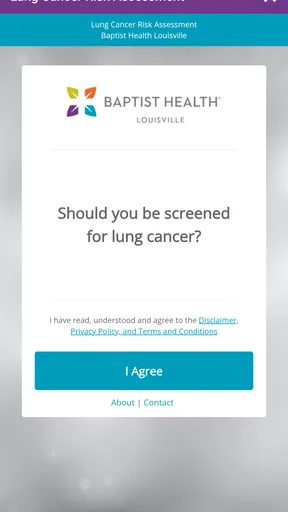
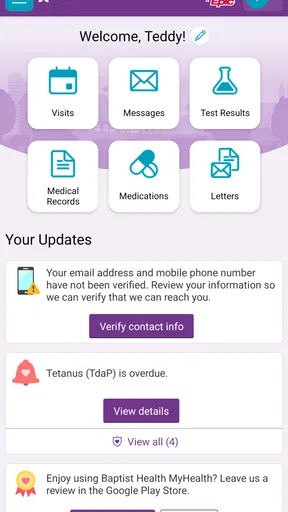
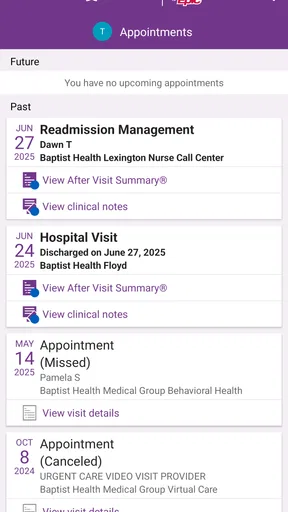
Our Review of Baptist Health MyHealth
 Analysis by Appyee
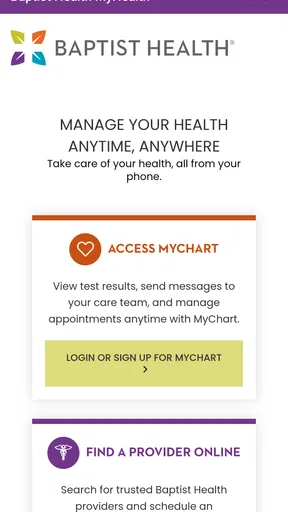
Managing healthcare from a phone can feel less like convenience and more like another task to learn. In my experience, Baptist Health MyHealth is most useful when I treat it as a central doorway into my Baptist Health online care rather than as a replacement for every medical conversation. It brings MyChart access and provider-finding tools into one mobile app, which makes routine planning easier when I already use Baptist Health services.
The app is free, aimed at everyone, and developed by Baptist Health IT. Its medical focus is clear from the first screen: this is not a general wellness tracker or an emergency-care substitute. It is designed for people who want to handle healthcare tasks online, look for providers, and keep the practical side of care within reach. I would recommend it especially to existing Baptist Health patients who are tired of switching between a browser, phone calls, and paper reminders.
Its public reception is encouraging, with a 4.6 average from around 2.3 thousand ratings and more than 100 thousand installs. Those figures suggest that many people find value in the service, although they do not guarantee that every feature or workflow will feel equally smooth for every patient. The current version is 11.8.3, and the app requires iOS 11 or later, so checking device compatibility before installing is a sensible first step.
What to expect before you begin
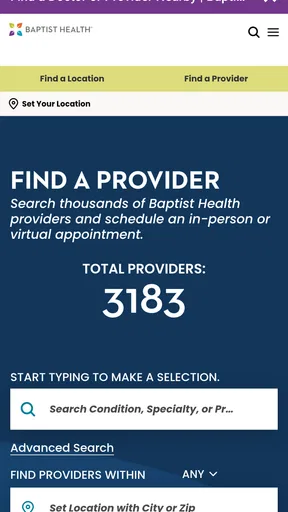
The best way to understand Baptist Health MyHealth is to separate two jobs that often get mixed together. One is accessing MyChart for online healthcare management. The other is finding providers. A person might open the app to review their online care information, then use the provider search when they need to identify a suitable clinician. Keeping those purposes distinct makes the interface easier to approach.
I would not install it expecting a broad collection of fitness tools, medication coaching, or a social health community. That is not where its value lies. Its strength is the connection between a patient and Baptist Health’s digital healthcare services. If your care is mainly outside that system, the app may have limited practical value compared with your healthcare provider’s own portal or a general records organizer.
Before opening it for the first time, I would have the details used for my Baptist Health online account available. I would also decide what I actually want to accomplish during the first session. “Set everything up” is vague and can lead to unnecessary tapping. “Get into MyChart and confirm that I can reach the information I need” is a much better first target.
There is also an important boundary to remember: a healthcare app is not the right place to wait during an urgent or dangerous situation. If something needs immediate attention, I would use the appropriate emergency or urgent-care route instead of assuming that an app message or online workflow will be seen in time. That is not a criticism of this particular application; it is a basic rule for using digital healthcare tools safely.
Installing and getting oriented
The installation itself is straightforward because the app is free and has an Everyone content rating. Once installed, I would spend a moment identifying the two areas that matter most: MyChart access and provider discovery. That small orientation step prevents a common mistake—opening the provider tool when the real goal is to reach an existing patient account, or entering MyChart when the real need is to find a clinician.
I prefer to begin with the account side rather than browsing aimlessly. A healthcare app becomes useful when it completes a real task, and the first meaningful task should be something simple enough to verify. Reaching the correct online healthcare area is a better test than exploring every menu at once.
Setting up the first useful session
My first recommendation is to install the app when you have a few uninterrupted minutes, not while standing outside a clinic or trying to solve a time-sensitive problem. Healthcare sign-in flows are easier when you can read each prompt carefully. I would also avoid creating a rushed shortcut based on a guessed account or a half-remembered detail. If the sign-in process does not recognize what I enter, I would stop and use the account-recovery or support path offered by the service rather than repeatedly guessing.
The app’s role as a MyChart entry point means that account access is central. If you already use Baptist Health’s online healthcare service, the first setup should feel more like connecting to an existing relationship than starting a new health profile from scratch. That distinction matters because it changes what I expect from the app: I am looking for access to care management, not a blank dashboard that I must populate with unrelated lifestyle information.
After signing in, I would not immediately judge the app by how many screens it contains. I would test whether I can answer one practical question. Can I reach the MyChart area without confusion? Can I locate the provider search? Can I tell which section is meant for ongoing account use and which is meant for discovery? Those checks reveal more about everyday usability than a quick visual tour.
One useful habit is to decide in advance which information should remain private on a shared phone. I would use the device’s normal security protections and avoid leaving a healthcare session open where another person could casually view it. The app’s medical purpose makes this more important than it would be for an ordinary shopping or entertainment application.
The first successful action
For a first-time user, I would define success as completing one small healthcare task from start to finish. My preferred route would be opening the MyChart portion, confirming that I am in the correct account, and locating the area I expect to use later. This could be more valuable than trying to complete a complicated request immediately because it confirms that the basic connection works.
A second strong first action is using the provider-finding function when you are actively looking for a Baptist Health clinician. Instead of browsing without a purpose, I would begin with the reason for the search: a new primary-care relationship, a specialist search, or simply identifying where a current provider fits within the system. Writing down the exact name or specialty I need before searching reduces the chance of choosing the wrong result.
This two-stage approach is one of the app’s most practical advantages. I can use the provider tool as a discovery step, then return to the account side when I need to manage my own healthcare online. In a browser, those activities can feel separated by tabs and bookmarks. In the app, they are presented as parts of the same Baptist Health experience, which is helpful for patients who do not want to remember several different entry points.
I would also treat the first completed action as a learning exercise. Notice what the app calls each destination, where it places the return option, and which area contains the information you will likely need again. That mental map pays off later, especially when you are using the app from a waiting room and do not want to search through every screen.
A realistic everyday scenario
Imagine that I have an upcoming healthcare need and realize I am not sure which Baptist Health provider is appropriate. I open the app, use the provider-finding section to narrow my search by the kind of care I need, and identify a likely clinician. Later, when I want to handle my own online healthcare tasks, I return through the MyChart area rather than repeating the provider search.
The benefit here is not that the app magically makes a medical decision for me. It helps organize the administrative path around that decision. I still need to consider the advice of qualified healthcare professionals and the details of my situation, but I spend less time wondering where to begin. For a patient who already belongs to the Baptist Health system, that reduction in friction is the reason to keep the app installed.
Another realistic use is preparing before a call or visit. I would open MyChart first, identify what I need to ask about, and use the provider search only if I need to clarify who I should contact or see. This keeps the app from becoming a passive place I open only when something goes wrong. Used this way, it becomes part of a small preparation routine.
Where first-time users may get confused
The most likely confusion comes from assuming that every healthcare function will appear in the same place. MyChart access and provider discovery serve different purposes, so I would not expect a provider search result to behave like my personal patient account. If I am looking for my own care information, I would return to MyChart. If I am trying to identify a clinician, I would use the provider area. That simple distinction solves much of the initial uncertainty.
Another source of friction is the difference between finding a provider and completing the next administrative step. A search tool can help me identify a clinician, but I should not assume that finding a name automatically completes scheduling, registration, or another care process. I would read the available options carefully and follow the route the app presents instead of treating a search result as a confirmed appointment.
Sign-in trouble can also make an otherwise useful app feel broken. Before reinstalling, I would check whether the problem is an account detail, an expired session, or a device compatibility issue. The minimum operating-system requirement is iOS 11 or later, so an older device may need attention before the app can be used reliably. Repeatedly entering different credentials is rarely productive, particularly with medical accounts.
I would also avoid interpreting a quiet screen as proof that nothing is happening in my healthcare. Digital portals depend on the information and services connected to the Baptist Health account. If I need an immediate answer, I would use the appropriate direct contact method rather than relying on an app as though it were a live emergency channel.
For families, the practical question is whose account is currently open. I would take extra care before reviewing or acting on information when more than one person uses the same device. A moment spent checking the account identity can prevent a serious privacy mistake. This is one of those small habits that a store summary will not teach, but it matters more in a medical app than in most categories.
How it compares with usual alternatives
The usual alternative is a mobile browser pointed at a healthcare website. A browser can be perfectly adequate, especially for someone who uses several health systems and prefers one place for all bookmarks. It may also be better when I need to move between unrelated providers. The dedicated app’s advantage is focus: Baptist Health services are placed into a single, repeatable starting point rather than being buried among browser tabs.
A second alternative is calling a clinic for every administrative question. Phone calls remain useful when the situation is complicated or when I need a person to explain something. However, calling for every basic online task can take more time and may require remembering office hours or navigating a phone menu. MyHealth is more convenient when the task fits its digital workflow and I already have the necessary account access.
General health-record apps offer a different kind of convenience. They can be attractive to people who want to gather information from multiple healthcare organizations. I would choose one of those when my care is spread across unrelated systems. I would choose Baptist Health MyHealth when my main relationship is with Baptist Health and I want the provider search and MyChart doorway together.
The trade-off is specialization. This app is more relevant than a generic organizer for a Baptist Health patient, but less broadly useful for someone whose providers are elsewhere. That is why I would not recommend installing it simply because it is a medical app. Its value depends on whether Baptist Health is part of your actual care routine.
Small habits that make the app more useful
My first practical tip is to give each visit a single purpose. Open it to reach MyChart, search for a provider, or prepare for a healthcare interaction. Doing one task at a time makes it easier to recognize whether the app has helped and reduces the temptation to wander through sensitive information without a reason.
My second tip is to separate discovery from follow-through. If I find a provider, I note why that person appeared relevant and then check what the app allows me to do next. I do not confuse a promising search result with a completed healthcare arrangement. This is a small but important trade-off: the app can simplify the starting point, while the final decision may still require additional steps or human guidance.
My third tip is to use the app before I need it urgently. A calm first sign-in gives me time to learn where MyChart and provider search live. When a genuine administrative need appears, I am not also trying to remember a password, identify the correct section, and understand the navigation at the same time.
My fourth tip is to keep the app’s scope in mind when judging it. If I want exercise tracking, broad symptom education, or a unified record across unrelated health systems, I would look elsewhere. If I want a practical Baptist Health mobile entry point, the focused design becomes an advantage rather than a limitation.
Who should use it and who should skip it
I think it is a good fit for Baptist Health patients who want a dependable mobile route to MyChart and a convenient way to look for providers. It is also suitable for first-time portal users who prefer an app with a clear healthcare purpose instead of managing a website address manually. The free price removes an obvious barrier, and the Everyone rating makes it approachable for a wide range of users.
I would be more cautious about recommending it to someone whose healthcare is entirely outside Baptist Health. In that case, the provider-finding and MyChart connection may not justify another installation. A general health-record tool or the portal supplied by that person’s main healthcare organization could be a better match.
I would also skip it as a primary solution for urgent symptoms or situations that need immediate personal attention. No digital convenience should replace the appropriate emergency route. Similarly, people who strongly prefer speaking with staff for every healthcare task may find a portal-centered app less useful, although it can still serve as a secondary way to find information or providers.
My final view after using it
Baptist Health MyHealth succeeds because it concentrates two useful healthcare entry points—MyChart and provider discovery—inside a focused mobile experience. I like it most as an everyday administrative companion: something I open to get oriented, find the right Baptist Health clinician, or reach my online healthcare account without starting from a browser search.
It is not a universal medical toolkit, and that narrow purpose should guide the decision to install it. The app is strongest when Baptist Health is already part of your care, when you value a dedicated mobile doorway, and when your task is suitable for online handling. It is weaker as a solution for multi-system healthcare, urgent problems, or people who want extensive wellness features.
For a first-time user, my suggested path is simple: install it on a compatible device, sign in carefully, identify the MyChart and provider areas, and complete one small task before exploring further. That approach makes the experience less intimidating and gives you a clear answer about whether it belongs in your regular healthcare routine. With a 4.6 average and around 2.3 thousand ratings, it has earned a positive reception, but its real value comes from how closely its focused tools match your relationship with Baptist Health.
Verdict
Strengths of Baptist Health MyHealth
- Secure access to appointments, test results, prescriptions, and health records.
- Easy appointment scheduling with Baptist Health providers.
- Medication information and refill requests are available in one place.
- Supports virtual visits for eligible patients and conditions.
- Helpful access to billing details and digital health documents.
Limitations of Baptist Health MyHealth
- Some features require an active Baptist Health patient account.
- Availability varies by location, provider, and connected health services.
- Notifications may be inconsistent for appointments or new results.
- The app may feel complex for users managing multiple family members.
- Certain actions may redirect to web pages instead of staying in the app.
Similar Picks in This Category
View All
WebMD: Symptom Checker
WebMD, LLC4.1

Microphone Amplifier
DOSA Apps4.2

Anatomy Learning - 3D Anatomy
3D Medical OU4.5

Period Tracker and Calendar
SimpleInnovation4.9

GoodRx: Prescription Coupons
GoodRx4.8

CVS Health
CVS Pharmacy4.5
Frequently Asked Questions
What is Baptist Health MyHealth used for?
Baptist Health MyHealth is a patient-focused app designed to help users manage many aspects of their healthcare in one place. Depending on the services available in your area, you can review medical information, schedule or request appointments, communicate with care teams, access test results, manage prescriptions, and receive health-related notifications without needing to call the office for every routine task.
Can I access my medical records and test results through the app?
In many cases, the app allows eligible patients to view parts of their electronic health record, including laboratory results, visit summaries, medications, allergies, immunizations, and other clinical information. Availability and timing can vary by test type and provider, and some results may not appear immediately. The app should support communication with your care team, but it does not replace professional medical advice.
How do I sign in to Baptist Health MyHealth, and is an account required?
An account is generally required to use the app’s patient features. Users typically sign in with credentials connected to their Baptist Health patient portal account, while some registration methods may require identity verification or an activation code. If you have trouble signing in, use the password-recovery option or contact Baptist Health support rather than creating multiple accounts that could complicate access.
Can I schedule appointments and communicate with my doctor in Baptist Health MyHealth?
The app may let you search for available appointments, request or change certain visits, and send secure messages to participating providers. The exact options depend on your location, specialty, insurance information, and the provider’s participation in online scheduling. Messaging is intended for non-urgent questions and routine follow-up. For emergencies or severe symptoms, contact emergency services instead of waiting for an in-app response.
Is Baptist Health MyHealth free, and is my health information secure?
The app is generally available to patients at no additional charge, although normal mobile data or internet charges may apply. Because it handles sensitive health information, access is protected through account authentication and security measures provided by the health system and its technology partners. For better protection, use a strong password, enable device security, avoid public Wi-Fi for private tasks, and always sign out on shared devices.
